
Why Your Silicone Baking Mat Warps (And How to Fix It)
You pull the sheet out of the oven, expecting perfect golden cookies, and instead find your silicone baking mat has curled up like a taco shell. If you've dealt with this, you know how frustrating it is. Silicone Baking Mat Warping is one of the most common complaints from home bakers, and it's almost always a fixable issue rather than a reason to toss the mat.
The truth is, silicone mats warp because of how they're handled, not because they're cheap or defective. Most food-grade silicone baking mats are rated for temperatures up to 450°F (232°C), with premium PTFE-coated versions pushing that limit to 500°F. But the heat rating isn't the whole story.
Manufacturers specify that mats should heat evenly, and aggregate reviews confirm that warping typically comes down to thermal shock, oversizing, or improper storage. As of 2026, the good news is that most warped mats can be saved if you diagnose the problem correctly.
Quick Answer
Silicone baking mat warping happens when the mat expands unevenly from heat, shrinks from cold, or gets stored folded. The most common causes are thermal shock from cold-to-hot temperature swings, oven temperatures exceeding the mat's rating, and mats that are too large for the pan. Check your mat's curl pattern, then match the fix to the cause.
The Quick Answer: What's Causing the Curl?
Before you do anything else, look at your mat. The shape of the warp tells you exactly what went wrong. Match what you see to the list below, and you'll know which fix applies to your situation.
- Edges curling upward like a taco shell: This is usually a size mismatch. Your mat is too big for the pan, so the metal heats faster than the silicone and pushes the edges up.
- Center bubbling or wavy surface: That's thermal shock. You moved from cold to hot too fast, or your oven ran hotter than the mat's rating.
- Permanent crease in the middle: This comes from folding the mat for storage. The silicone has memory, and it holds that fold.
- Spongy spots or peeling surface: That's delamination. The PTFE or silicone coating is separating from the fiberglass core, and the mat needs to be replaced. There's no fixing that one.
Here's the thing: silicone is a polymer that expands when heated and contracts when cooled. It's flexible and forgiving, but it has limits. When you heat one part faster than another, the material stresses and distorts.
The result is exactly what you're seeing now.
The fix depends on which type of warp you have. So let's walk through each one.
Understanding How Silicone Mats React to Heat
Silicone baking mats are typically made from food-grade silicone bonded to a fiberglass mesh core. The fiberglass gives the mat structure, and the silicone provides the non-stick surface. The combination is flexible, durable, and remarkably heat-resistant.
But it's not invincible.
Here's what happens at the material level. When you heat a silicone mat, the polymer chains expand. They move, stretch, and shift.
The fiberglass core, by contrast, barely expands at all. So the silicone coating tries to grow while the fiberglass holds it in place. That tension is normal at moderate temperatures, which is why mats stay flat during regular baking.
The trouble starts when the expansion happens too fast or too intensely.
- Rapid temperature swings cause the silicone to expand unevenly. The part touching the hot pan expands faster than the part exposed to air. That unequal growth buckles the mat.
- Temperatures above the rated limit push the polymer beyond its comfortable range. The material softens, distorts, and sometimes permanently deforms.
- Uneven heat distribution across a pan, like hot spots in your oven, can cause one area of the mat to expand more than another.
That's why the same mat can perform perfectly for months and then suddenly warp. It's not that the mat changed. It's that the conditions changed.
Manufacturer specifications for most food-grade silicone mats cap at 450°F, though some PTFE-coated versions handle 500°F. But "rated" doesn't mean "comfortable." Aggregate user reviews suggest that sustained heat near the upper limit increases the chance of warping, even if the mat doesn't actually fail. If you're baking at 475°F or higher, you're pushing your luck.
Step 1: Diagnose the Warp Type
This is the most important step. You can't fix a warp until you know what caused it. So take a close look at your mat and compare it to the four scenarios below.
Edge Curl (Taco Shell Shape)
What it looks like: The edges roll upward, lifting off the pan. The center stays flat.
Most likely cause: The mat is slightly too large for your baking sheet. Metal heating up faster than silicone creates pressure, and the edges curl to relieve it.
A quick test: lay the mat flat on your pan and check the gap around the edges. You want about half an inch of clearance on all sides. If the mat touches or overlaps the pan's rim, that's your problem.
Center Bubble or Wave
What it looks like: The middle of the mat domes upward, or the entire mat has a wavy, rippled look.
Most likely cause: Thermal shock. You placed a cold mat onto a hot pan, or the oven temperature spiked above the mat's rating. The center expands faster than the edges, and the material buckles.
Permanent Crease from Storage
What it looks like: A sharp fold line that doesn't flatten even when you press on it.
Most likely cause: The mat was folded or rolled too tightly for an extended period. Silicone has a memory, and it holds that shape.
Spongy Spots or Delamination
What it looks like: The surface feels bubbly or spongy in patches. You might see peeling, cracking, or white specks.
Most likely cause: The PTFE or silicone coating is separating from the fiberglass core. This usually happens after repeated overheating or exposure to dishwasher detergent. This mat is done.
Throw it out.
Step 2: The Oven Temperature Problem
Let's talk about heat, because it's the number one cause of silicone baking mat warping. Your oven might be running hotter than you think.
The standard temperature rating for food-grade silicone is 450°F. That's the number printed on the packaging. But here's the catch: home ovens often run 25 to 50 degrees hotter than the dial suggests, especially older models.
That means you might set the oven to 450°F and actually be baking at 480°F or 500°F. That's past the mat's comfortable range.
Research from oven manufacturers indicates that fluctuation is common. Calibration drifts over time, and hot spots develop near heating elements. So even if you're technically cooking "at" the right temperature, the mat might be experiencing far more heat than the label suggests.
What to do:
- If you're baking above 450°F, switch to parchment paper. Silicone mats simply aren't designed for that heat.
- If you're baking at 450°F or below and the mat still warps, try dropping the temperature by 25 degrees and extending the bake time. You'll still get great results, and the mat will stay flat.
- Use an oven thermometer to check your actual temperature. A $10 thermometer can save you a lot of ruined mats.
One more thing: broiling is an absolute no-go. The intense radiant heat from the broiler element can easily exceed 600°F at the pan surface. That will damage your mat, warp it permanently, and potentially release fumes from the PTFE coating.
Silicone mats belong in the main oven cavity, not under the broiler.
Step 3: Thermal Shock — The Cold-to-Hot Mistake

Image source: Bing (Web (fair-use with source credit))
This is the sneaky one. It doesn't happen during normal baking. It happens when you take a mat that's been sitting in the refrigerator and place it directly into a preheated oven.
Here's the scenario. You've prepped cookie dough on a mat, chilled it for an hour, and then slid the whole tray into a 375°F oven. The cold mat hits the hot air, and the silicone contracts violently.
Then, as it heats, it expands just as violently. The result is a mat that ripples, domes, or curls at the edges.
Thermal shock happens because silicone has low thermal conductivity. It doesn't heat evenly, and sudden temperature changes cause different parts of the material to expand or contract at different rates. That's stress, and stress manifests as warping.
How to avoid it:
- Let the pan come to room temperature before putting it in the oven. If you're using chilled dough, let it sit out for 10 to 15 minutes first.
- If you're baking straight from the fridge, place the pan in the oven before it preheats. Let the mat warm up gradually as the oven heats.
- Never rinse a hot mat with cold water. Let it cool completely on the pan before washing.
The same logic applies in reverse. Pulling a hot mat out of the oven and setting it on a cold countertop can cause the same kind of shock. Give it a minute to cool down on the pan, then move it.
Step 4: Size Mismatch — When the Mat Doesn't Fit the Pan
If your mat fits flush against the edges of your baking sheet, you're begging for warping. Here's why:
Metal heats faster than silicone. When your mat touches the rim of the pan, the metal expands and pushes against the mat. The silicone, meanwhile, is heating more slowly in the center.
That differential creates pressure, and the mat buckles to release it.
This is why so many people report warping with cheap mats. Budget brands often skip precise sizing, so you end up with a mat that's a quarter-inch too big for a standard half-sheet pan. It looks fine when you lay it out flat, but the first time it hits the heat, the edges curl up.
What to do:
- Measure your pan and compare it to the mat. You want about half an inch of clearance on every side.
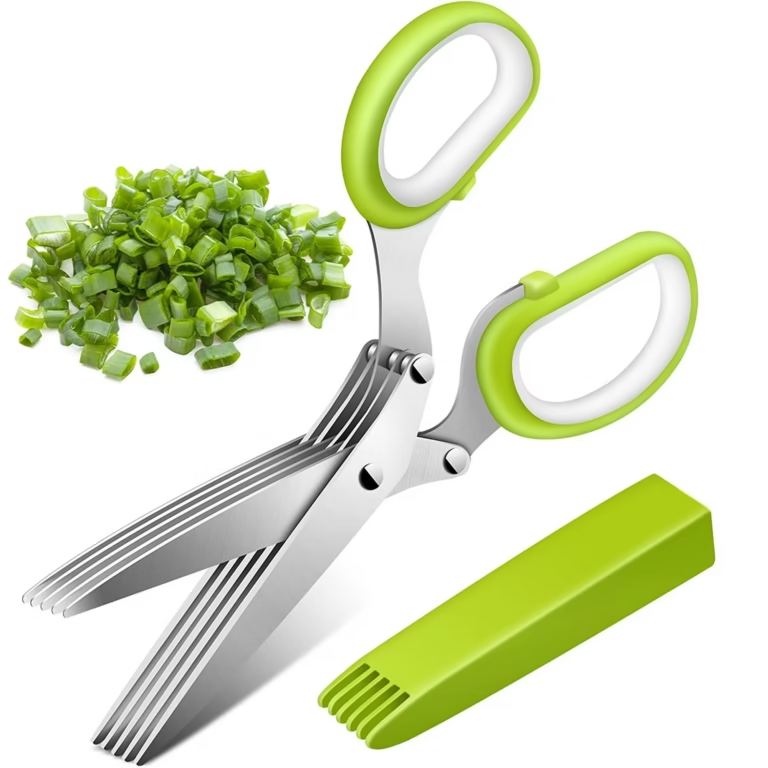
- Trim the mat if it's too big. Yes, you can cut it. Use sharp scissors and mark the line with a pen. Silicone doesn't fray, so the cut edge stays clean.
- If you have a premium mat that's slightly too big, consider buying a larger pan instead. Half-sheet pans are cheap, and having the right size pan fixes the problem permanently.
Alternatively, you can flip the mat over. The underside often sits flatter than the top, especially if the mat has a subtle curve from manufacturing or storage. It's not a permanent fix, but it works in a pinch.

Image source: Bing (Web (fair-use with source credit))